ArconQ Store
Introduction
The ArconQ Store supports the integration of multiple repositories, enabling a central hub for distributing application templates. This feature allows you to add App Templates from remote repositories, making the platform more flexible and scalable.
How to Add a Store connection to existing ArconQ instance
Administrators can add a store link through the admin area by following these steps:
- Navigate to the admin area.
- Find the section labeled 'Store Connections'.
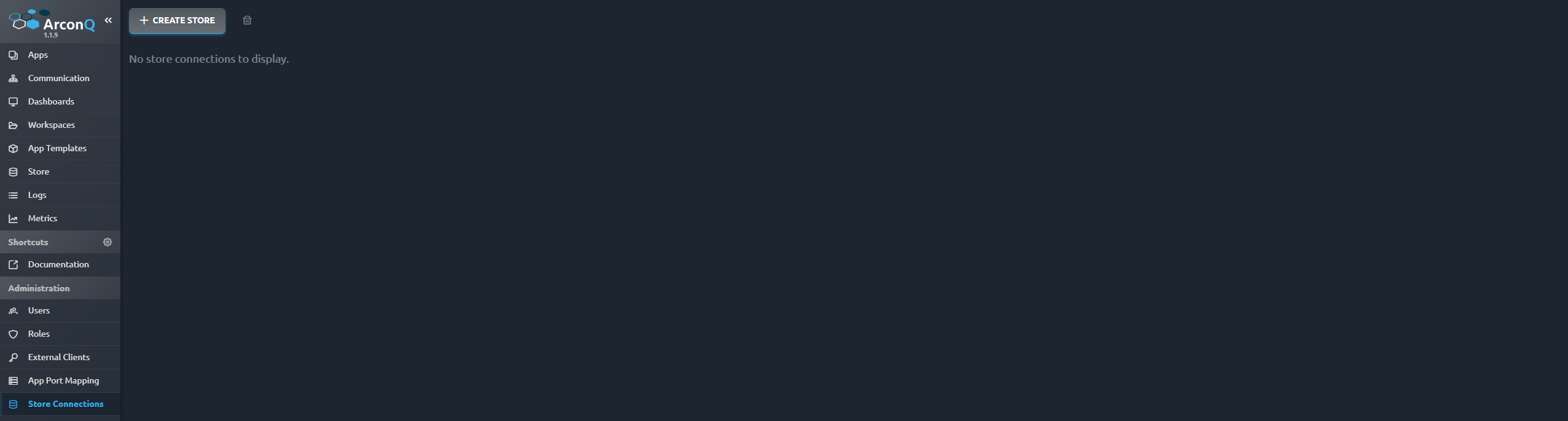
- Click on the button labeled 'Create Store'.
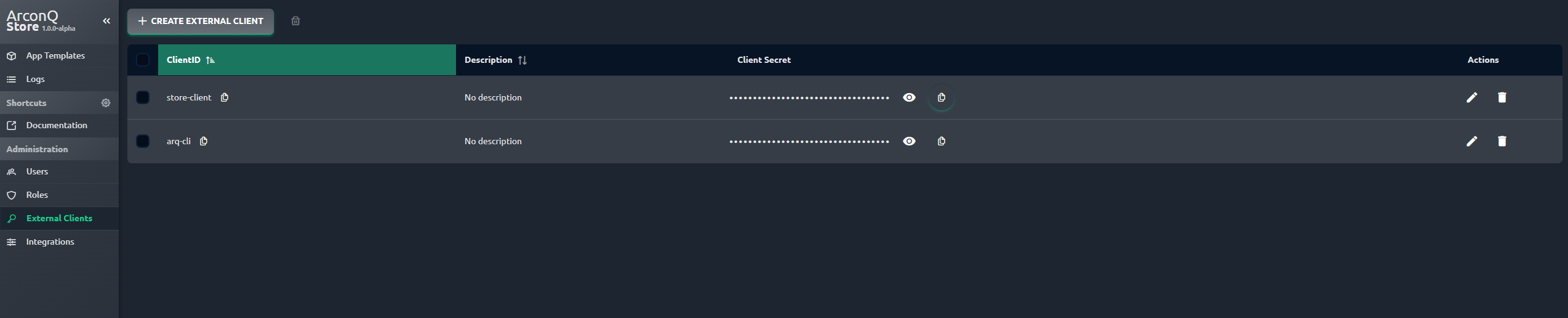
- Obtain the ClientID and Client Secret credentials from the External Client Configuration section of the remote ArconQ Store.
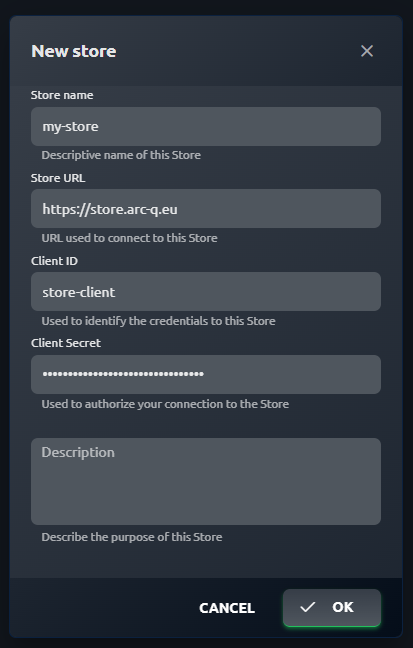
- Complete all mandatory fields: Store Name, Store URL, Client ID, and Client Secret.
- Ensure that the correct Store URL is added. Only one store link is allowed; adding a second link will result in an error.
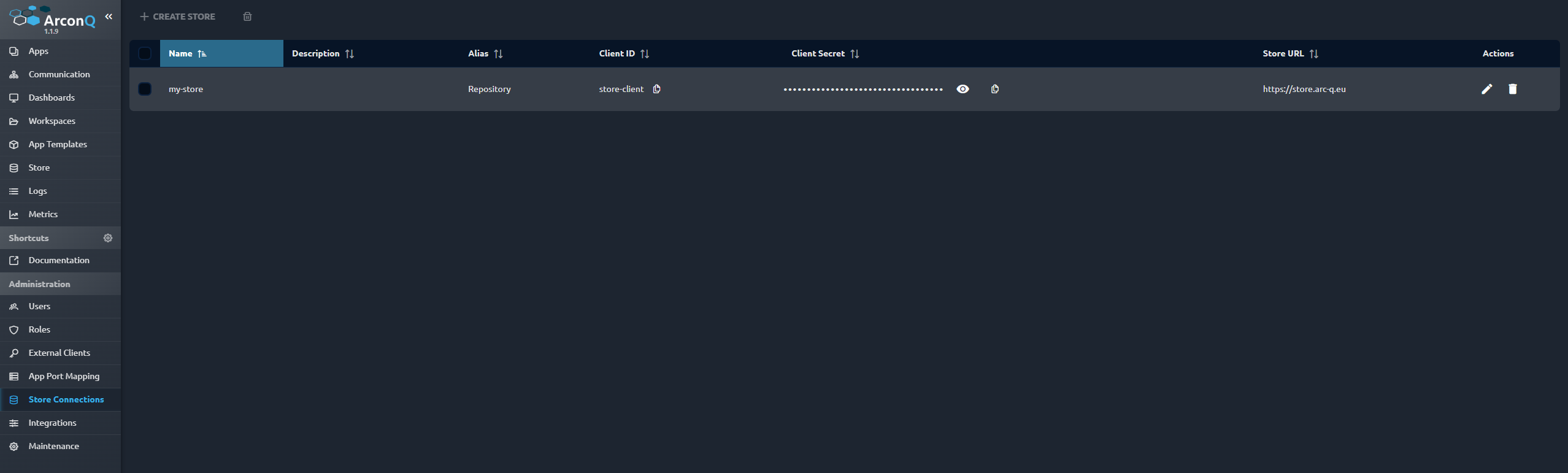
Viewing and Managing Store Connections
Store connection can be managed through a dedicated side menu item for store connection. This includes:
- Viewing existing connection
- Adding new connection
- Editing existing connection
- Removing connection
How to Install an AppTemplate
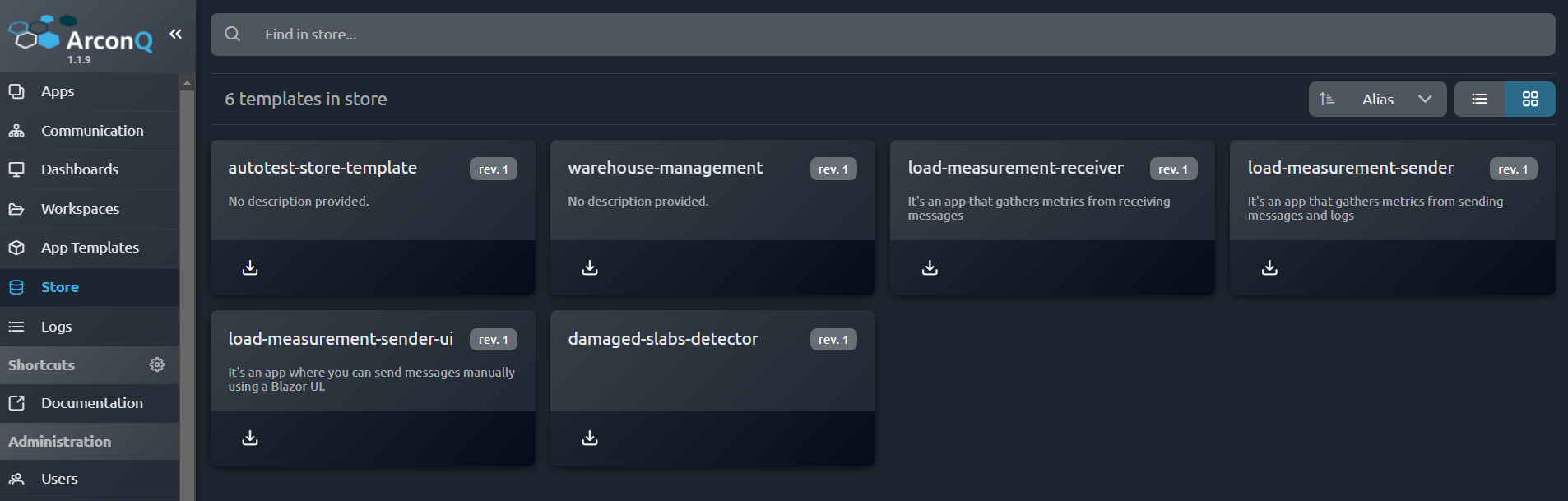
- Navigate to the Store page, which lists available templates.
- Click on the "Install" button next to the desired template.
- Once the installation is complete, a confirmation message will appear.
How Installation Works
New Template: If the specific app template is not already installed in ArconQ, a new template is created in the local repository. The system checks the local repository, and if it doesn't find the template, it will download and set up a new one.
New Revision: If the specific app template is already installed in ArconQ, a new revision is added to the existing template. The system checks the local repository, and if it finds the template, it will update it by adding a new revision.
Conclusion
The ArconQ Store functionality in ArconQ provides a streamlined process for adding, viewing, and installing application templates from remote repositories. This enhancement significantly improves the platform's capability to manage application templates efficiently and effectively.