Deleting unused App Template revisions
In ArconQ, you can manage App Templates, which are pre-configured blueprints that can be used as a basis for creating new Apps.
During application development, numerous revisions of app templates are generated, consuming valuable storage disk space.
ArconQ offers a purge feature to facilitate the removal of these obsolete and unused revisions, thus maintaining an organized and efficient workspace.
Pre-conditions
Ensure you are logged in with administrative privileges to the ArconQ.
The purge operation includes safety measures to avoid deleting necessary revisions. The system will not purge revisions that:
- Are the only version for an App Template.
- They are newer than any version currently used by the active application.
- Are in use by an application at the moment.
Before initiating the purge, verify these conditions to ensure that only appropriate revisions are removed.
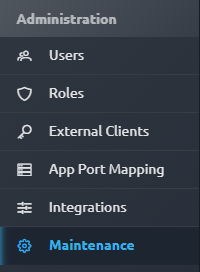
Locate the Maintenance Tab
In the left navigation menu, find and click on the Maintenance tab to access the maintenance features.
Purge Unused Revisions
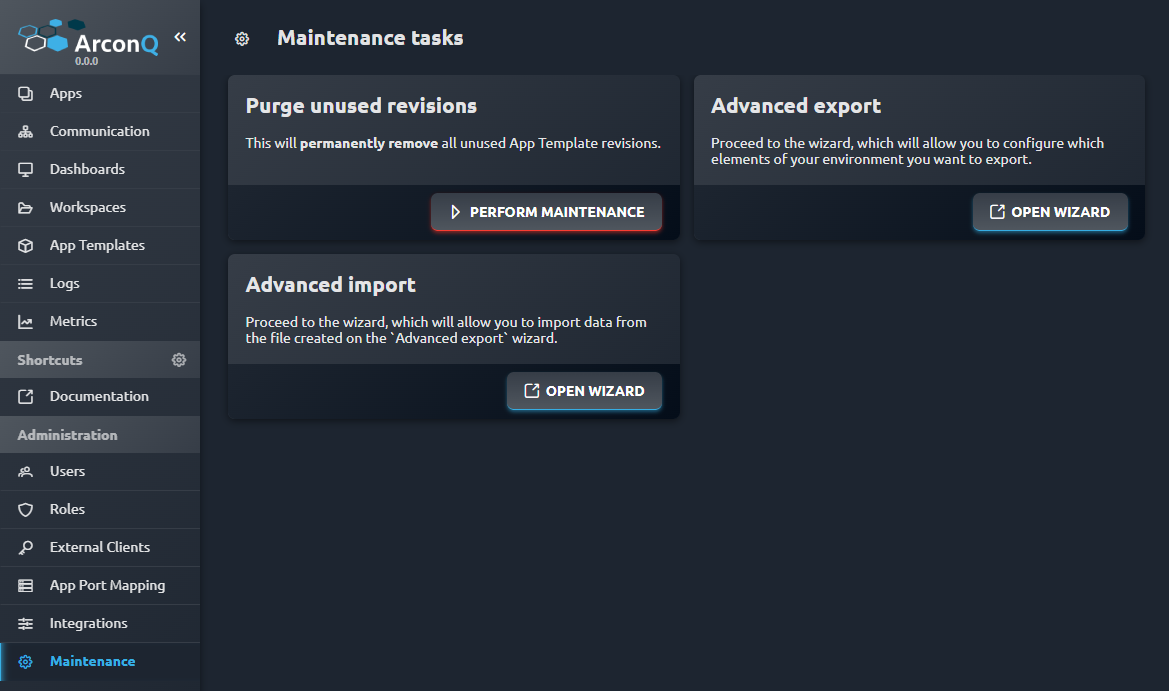
Look for the Purge unused revisions option within the maintenance section and select it to proceed.
Perform the Maintenance Action
- Initiate the purge by clicking on the PERFORM MAINTENANCE button.
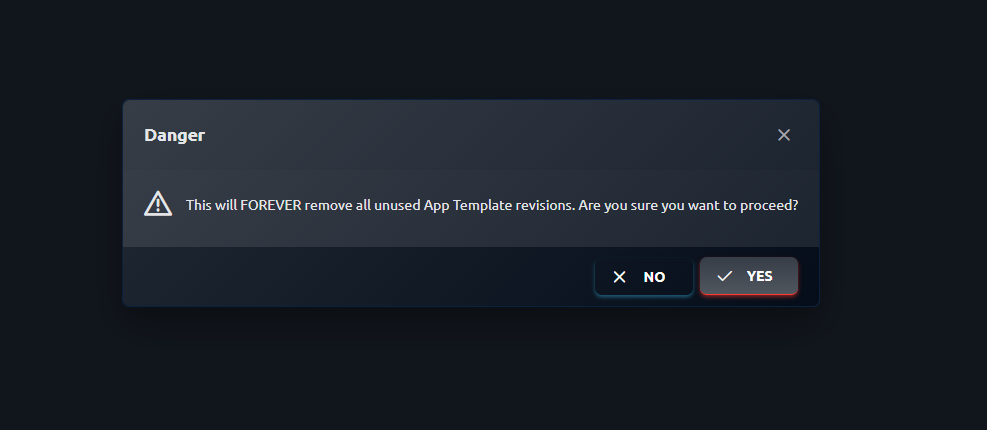
- A dialog box will present a warning that this action will irreversibly remove all unused App Template revisions.
- Review the warning message carefully. To proceed with the purge, click YES. To abort the operation, click NO.
Verification
- Once the purge is confirmed, the system will carry out the removal process.
- After the process concludes, check the App Template revisions area to confirm the removal of the unused revisions.