App port mapping
The App port mapping feature allows you to map Kubernetes ports to application ports via Kubernetes NodePort services. It enables you to access client applications in Kubernetes via the TCP protocol. This guide explains how to use the App port mapping feature and provides step-by-step instructions.
Overview
The App port mapping feature simplifies the process of creating NodePort services in Kubernetes. It is especially useful when you need to expose applications to external clients or interfaces.
Key Concepts
- App alias: A unique identifier for your application.
- External port (Kubernetes port): The port number used to access the application externally.
- App port (Internal App port): The port number used by the application internally.
How to Create an App port mapping
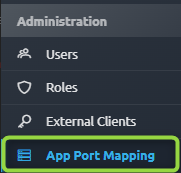
- Navigate to App port mapping: Click on the App port mapping" under administration section.
- Create Mapping:
- Click on the Create Mapping button.
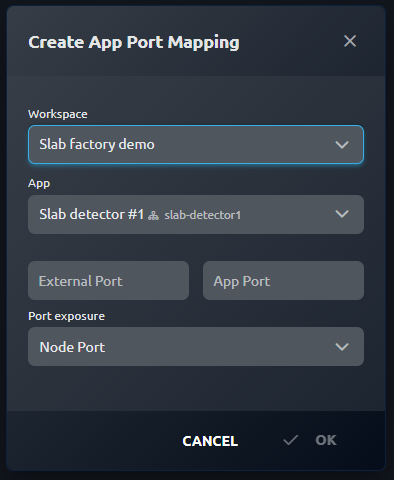
- Provide the following information:
- Workspace
- App: select an application
- External port (Kubernetes port): specify the port number for external access
- App port (Internal App port): specify the internal port number used by your application
- Port exposure: specify the type of Kubernetes port exposure (Node Port, Load Balancer, Host Port)
- Click OK to create the mapping.
- Confirmation: You will receive a confirmation message indicating that the App port mapping has been created successfully.

Conclusion
The App port mapping feature simplifies the process of creating NodePort services in Kubernetes, allowing you to access client applications via the TCP protocol. By following the steps outlined in this guide, you can easily set up and manage your App port mappings.
