RabbitMQ
This dashboard provides an overview of RabbitMQ instances. You'll see here usages of RAM, CPU, disk and network.
Graphs explanation

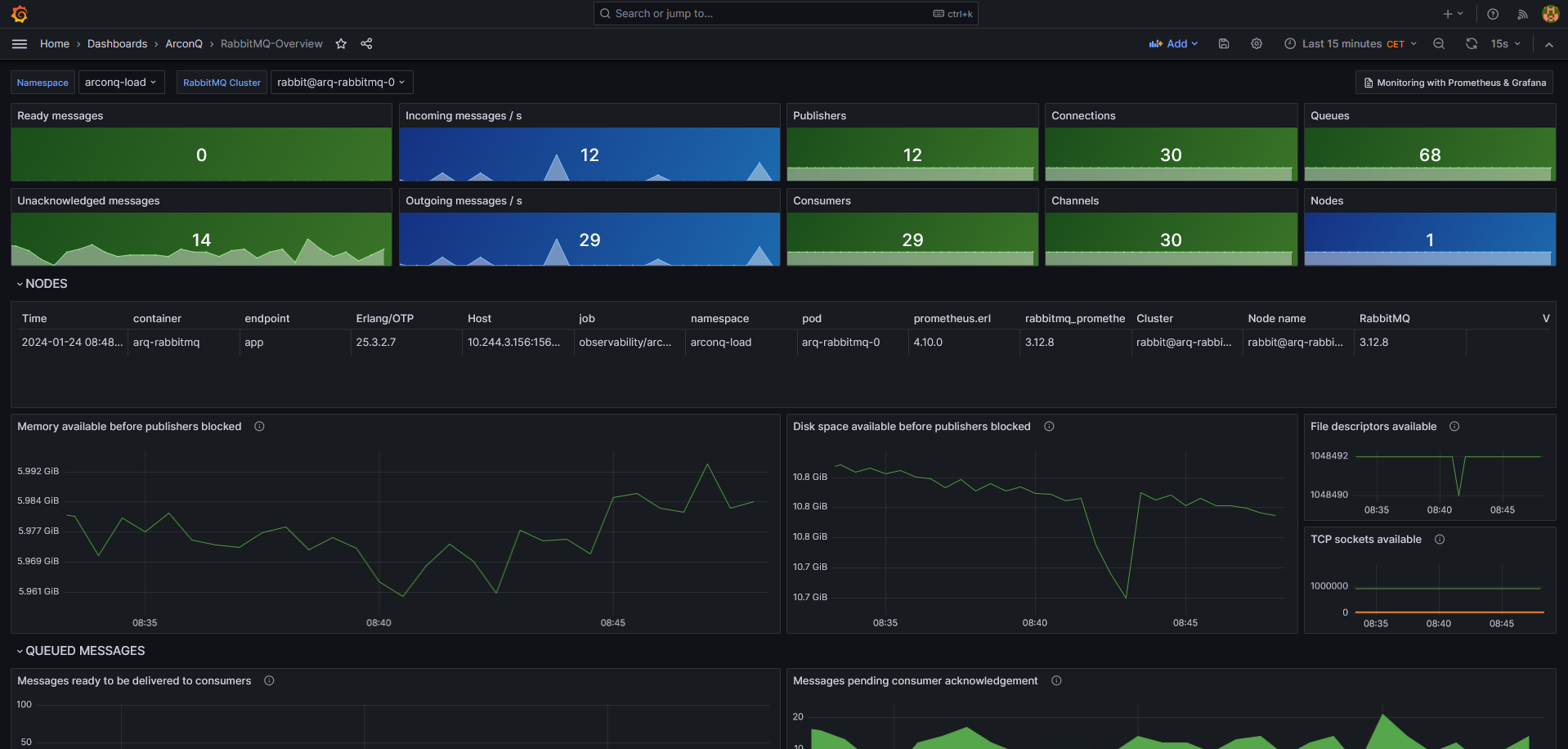
Single stat metrics at the top of the dashboard capture the health of a single RabbitMQ cluster. The panels on all RabbitMQ Grafana dashboards use different colors to capture the following metric states:
- Green means the value of the metric is within a healthy range
- Blue means under-utilization or some form of degradation
- Red means the value of the metric is below or above the range that is considered healthy
Default ranges for the single stat metrics will not be optimal for all RabbitMQ deployments. For example, in environments with many consumers and/or high prefetch values, it may be perfectly fine to have over 1,000 unacknowledged messages. The default thresholds can be easily adjusted to suit the workload and system at hand. The users are encouraged to revisit these ranges and tweak them as they see fit for their workloads, monitoring and operational practices, and tolerance for false positives.
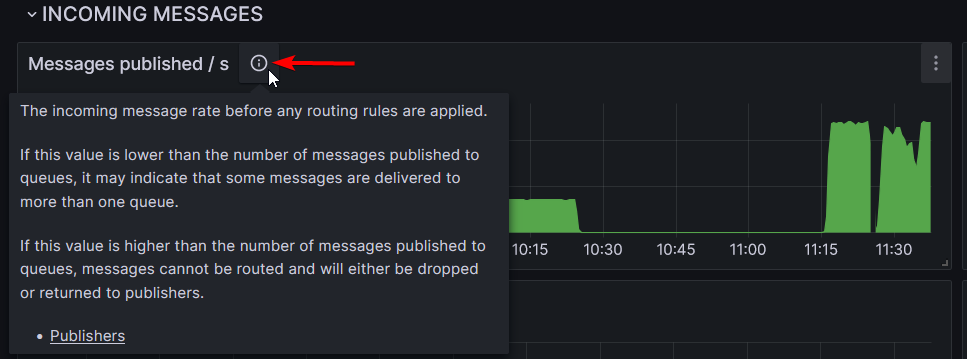
For the rest of the graphs you can hover over the description button which will display a tooltip with an explanation of the graph.