Dashboards embedded in ArconQ
Arconq Metrics Add-On comes with a range of Grafana dashboards to enhance the possibilities of monitoring your ArconQ instance. We embed some of the dashboard into our UI to make the whole experience easy and intuitive.
You're able to have a quick overview on your environment and apps without the need to leave the ArconQ UI.
In case you need to analyze even more metrics you can always access the Grafana itself.
Metrics view
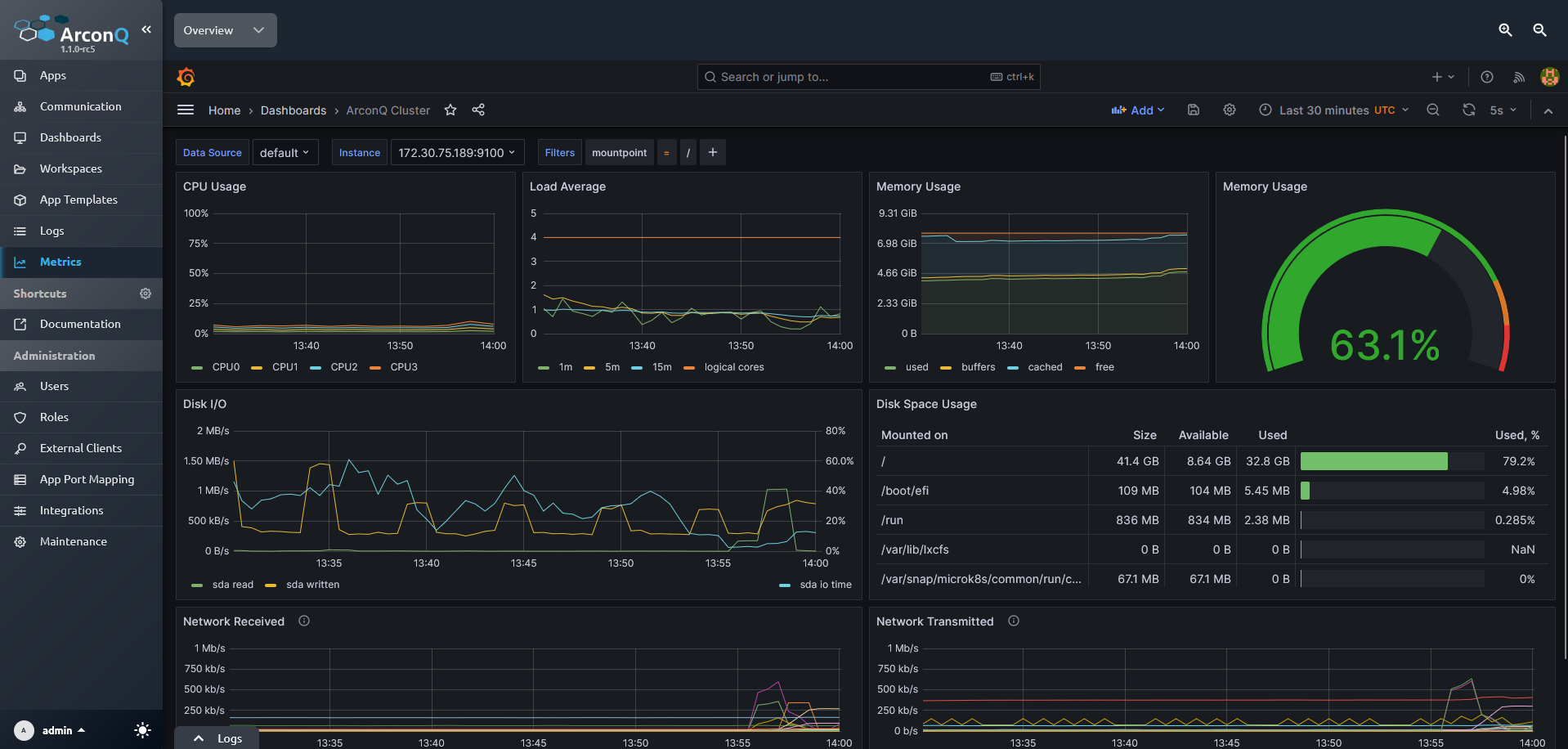 The view contains an embedded Grafana dashboard. You can switch between available dashboards using the dropdown button in the left corner.
Both of the dashboards are described in more details here:
App details view
In App details we embed graphs showing CPU and RAM usage of the App.
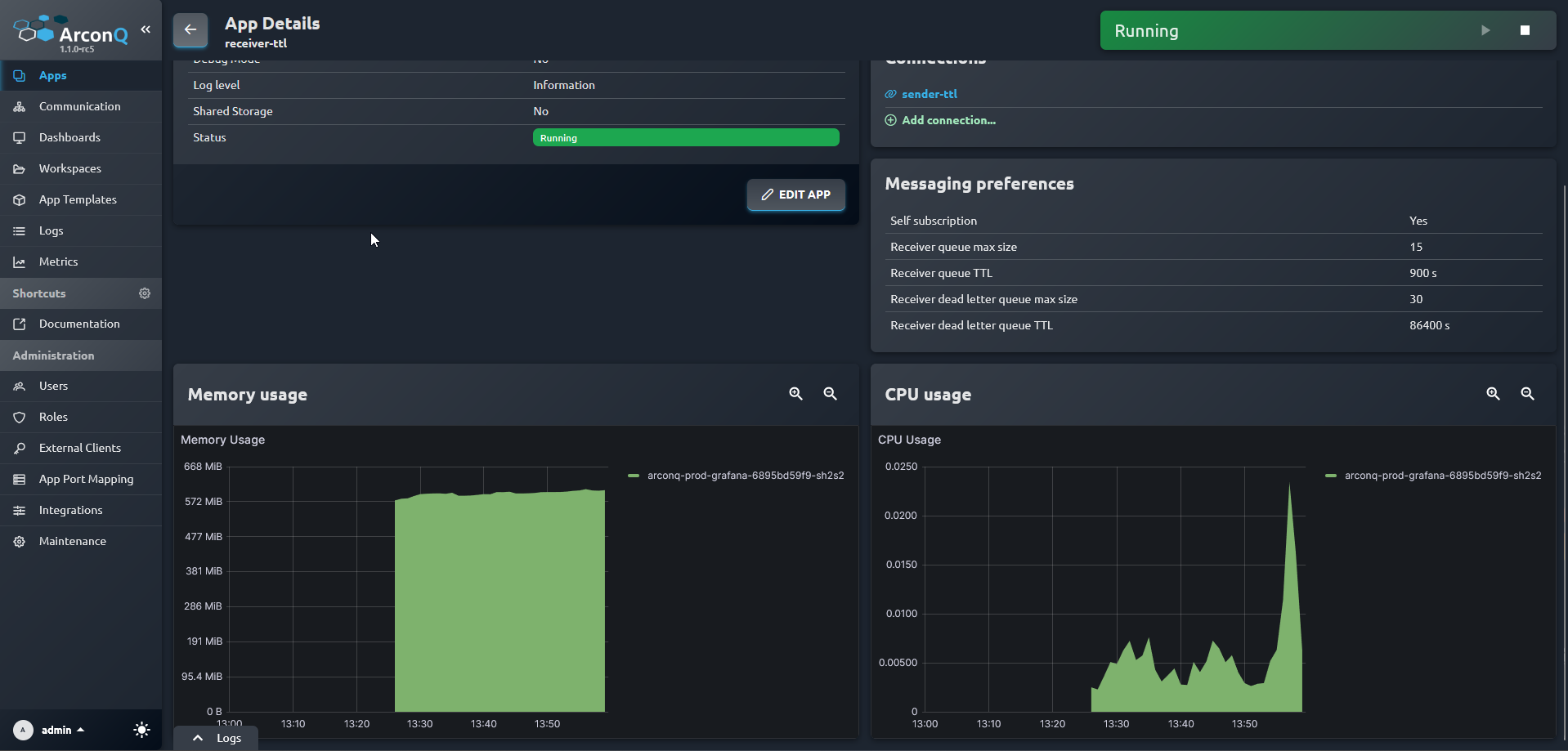
By default the graphs show data from the last hour. You can change this time range by:
+ Increasing the range - double click on a graph.
- Decreasing the range - act as if you were selecting a piece of text, i.e. press and hold LMB, move in a desired direction, then let go.
More Grafana dashboards
To access other dashboards you need to open Grafana itself. Please refer to this page.