ArconQ Cluster
This dashboard provides a general overview of the environment. You'll see here usages of RAM, CPU, disk and network.
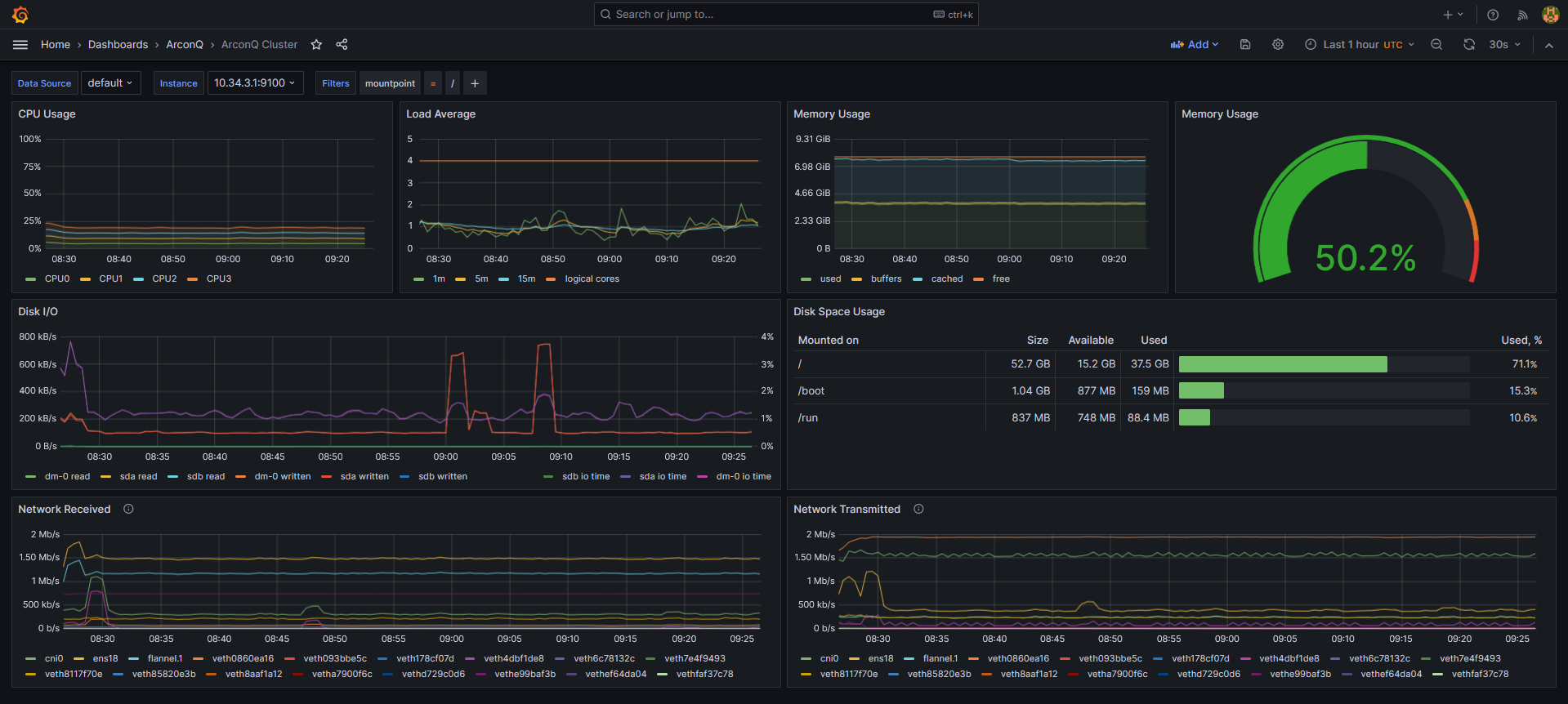
Graphs explanation
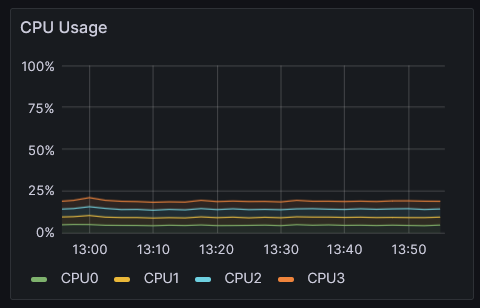 | 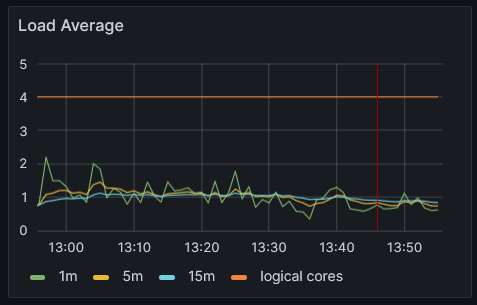 |
| This graph displays the percentage of usage for each CPU core over time. The data is expressed in percentages. | Load average gives an idea of the system's workload. The lines show the average load on the system's processors over the last 1, 5 and 15 minutes. It provides a snapshot of the system's immediate performance and can indicate how busy the CPU is almost in real-time. |
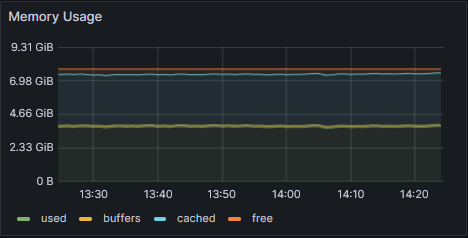 |  |
This graph shows the different types of RAM usage over time:
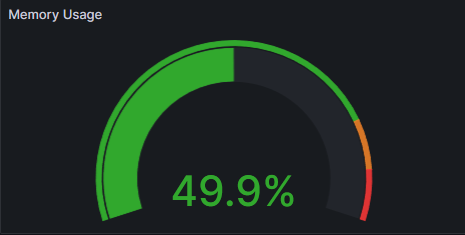
| Percentage of currently used RAM. |
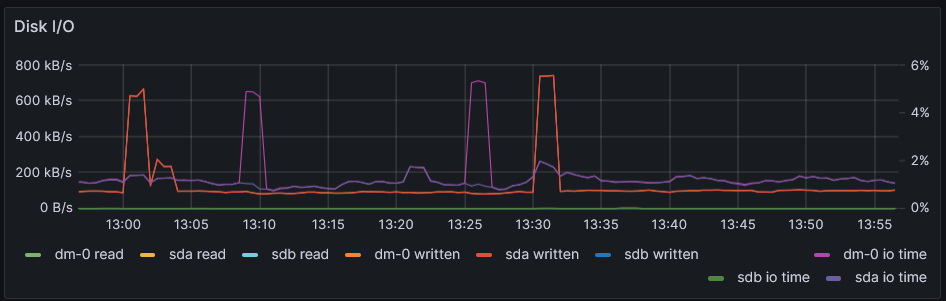 | 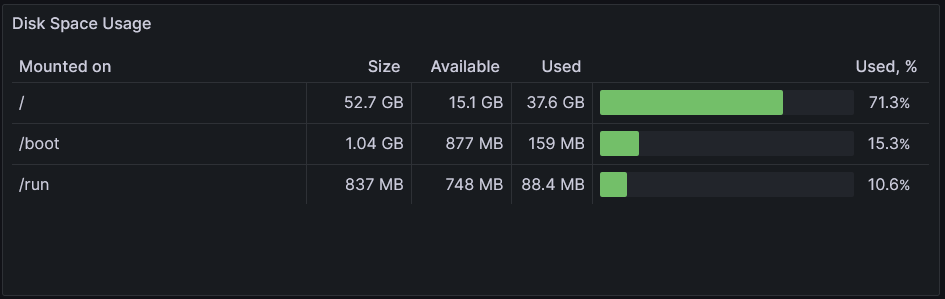 |
| This graph represents disk I/O (Input/Output) activity over time, measured in kilobytes per second (kB/s) for read and write operations, as well as I/O time as a percentage. | This graph provides an overview of disk space usage across different mount points on a system. It shows the total size of the disk space, the available space, the used space, and the percentage of space used for each mount point. |
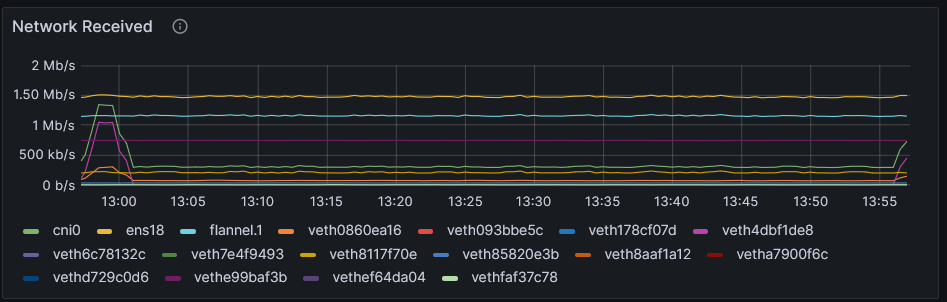 | 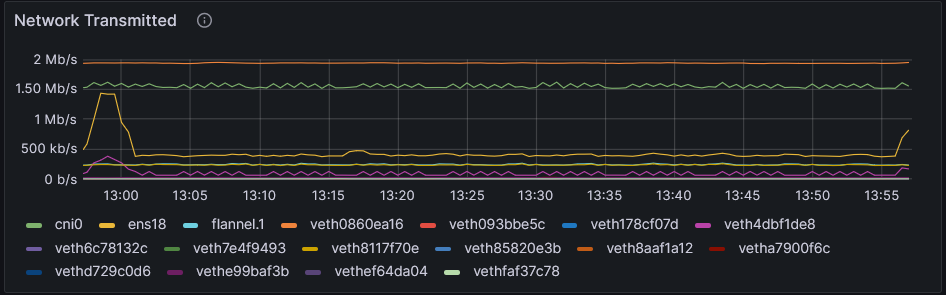 |
| This graph illustrates the network traffic received over various network interfaces on a system, with the data rate measured in megabits per second (Mbps) and kilobits per second (kb/s). Each line represents a different network interface. | This graph depicts the network transmission rates over various network interfaces in a system, with the measurement shown in megabits per second (Mbps) and kilobits per second (kb/s). The graph is a tool for monitoring network output, displaying the transmission activity and trends of each interface over the specified timeframe. |