Welcome to ArconQ


ArconQ is an all-in-one integration platform that simplifies software development, allowing teams to focus on business logic.
Why ArconQ?
Modern software development often involves managing infrastructure, orchestrating services, handling security, and ensuring scalability and fault tolerance. This reduces time for actual business logic development and increases costs due to extended time-to-market and the need for specialized experts.
ArconQ simplifies this process. Any developer can build scalable, resilient, and secure applications without needing a team of software architects, platform engineers, or DevOps specialists. ArconQ handles infrastructure provisioning, orchestration, scalability, fault tolerance, and resource management, allowing developers to focus entirely on business logic. This enables domain experts to implement features that deliver true business value and innovation, ensuring enterprise-level software standards.
Core Features
Automated Orchestration Platform:
- Application Robustness: Ensures scalability, observability, availability, resilience, fault-tolerance, and security.
- Infrastructure Automation: Automates setup, management, and scaling of infrastructure components.
- Integrated Hosting: Provides seamless hosting and scaling without manual intervention.
- Inter-Application Communication: Includes an integrated message broker for efficient communication.
- Resource Management: Automates resource provisioning and load balancing for optimal performance.
- Resilience Mechanisms: Detects and restarts failed applications automatically.
- Comprehensive Monitoring: Offers distributed logging and tracing for performance monitoring and troubleshooting.
Easy Deployment and Management:
- One-Click Deployment: Deploy applications via GUI or CLI with full CI/CD support.
- Seamless Updates: Provides zero-downtime updates with a single click.
- Version Management: Maintains complete change history and allows easy restoration of previous versions.
- Instancing: Stores applications as templates, enabling multiple instances with different configurations.
Administrative Console with App-UI Integration:
Unified Real-time Dashboards: Centralizes all application UIs in a single admin view.
Interactive UI Experience: Allows direct interaction with applications from the console.
Customizable Views: Tailors dashboards to specific operational needs.
Visual Communication Layout for Apps:
- Intuitive Design: Manages app connectivity through a visual diagram.
- Dynamic Adaptability: Adapts communication layout via drag & drop interface.
UI Overview
The ArconQ user interface (UI) is designed to provide a seamless and intuitive experience for developers, enabling them to efficiently manage and deploy their applications. The UI ensures that both novice and experienced developers can navigate and utilize the platform effectively, empowering teams to innovate and produce high-quality software solutions.
Let's take a quick tour of ArconQ's User Interface to better understand its concepts.
A comprehensive step-by-step tutorial is available in the Getting Started section, which provides practical guidance on utilizing the ArconQ platform. Prior to proceeding there, please ensure that the ArconQ platform is installed and configured.
Apps and Workspaces
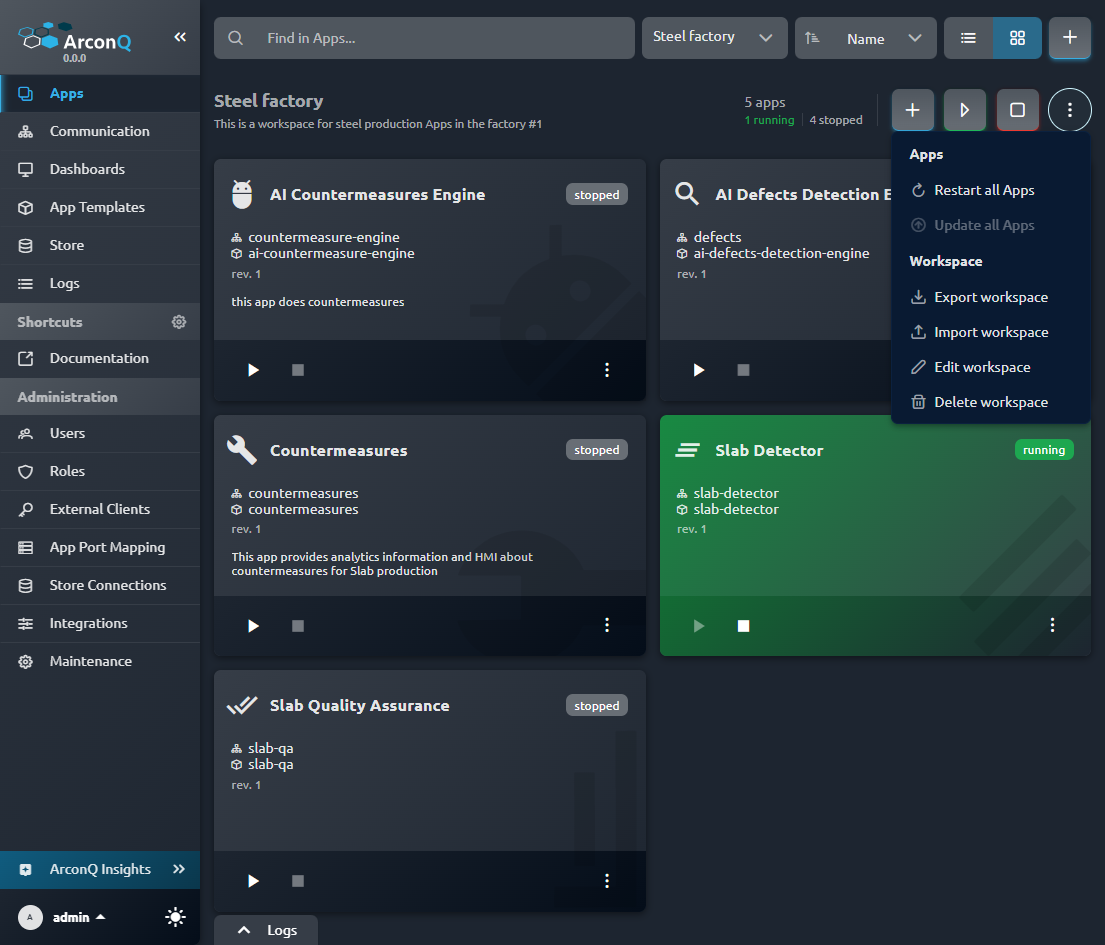
The Apps view enables you to create and manage Apps within Workspaces. Here, all Apps are displayed, and Workspaces help you organize them logically, similar to folders in a file explorer. You can delete, modify, start, and stop Apps, and monitor their statuses. Apps can have icons assigned for easy identification, as shown above. You can read more about this feature in the App icons article.
Additionally, this page allows you to manage Workspaces: edit, delete, export, and import them. More details on import and export can be found in the Importing and exporting workspaces article.
From the top bar, you can:
- Filter visible Apps by names and aliases (1)
- Select the displayed Workspaces from a dropdown (2)
- Sort visible Apps by various criteria (3)
- Switch between Tiles and List views (4)
- Create a new workspace (5)

Communication
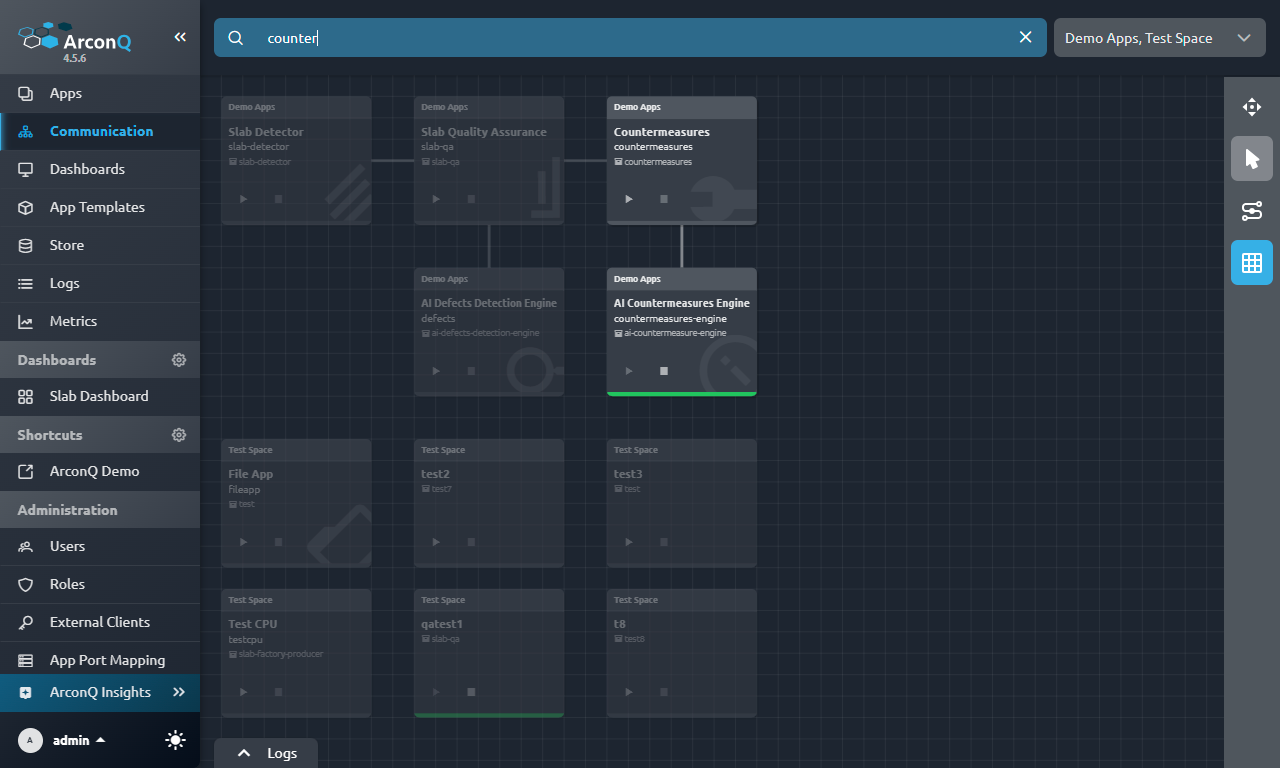
The Communication view allows you to define interactions between your Apps. Using an intuitive, visual diagram, you can create a Communication Diagram to illustrate these interactions.
Similar to the Apps view, the top bar lets you filter Apps and select which Workspaces to display, facilitating the management of large solutions.
Dashboards and Widgets
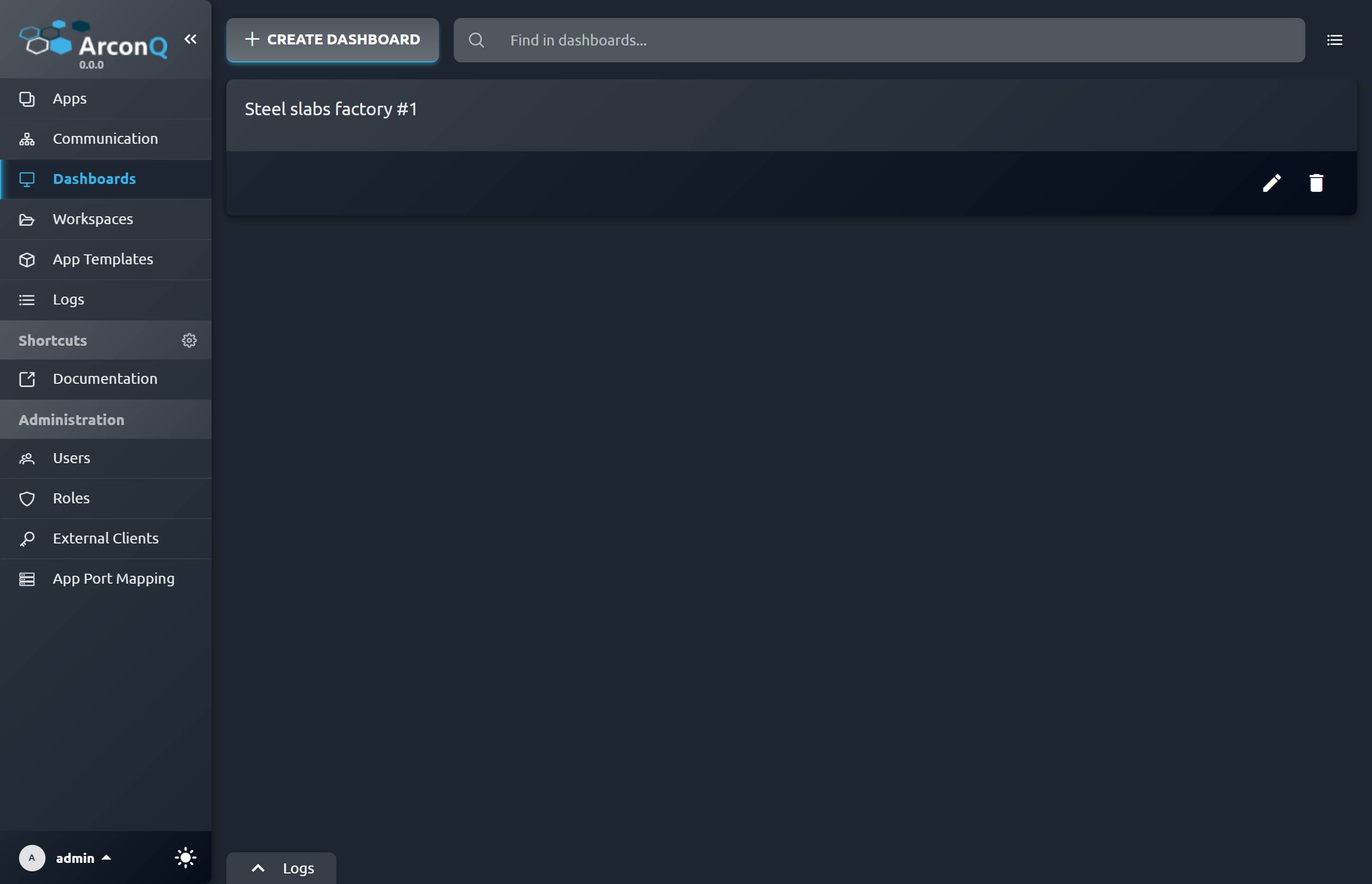
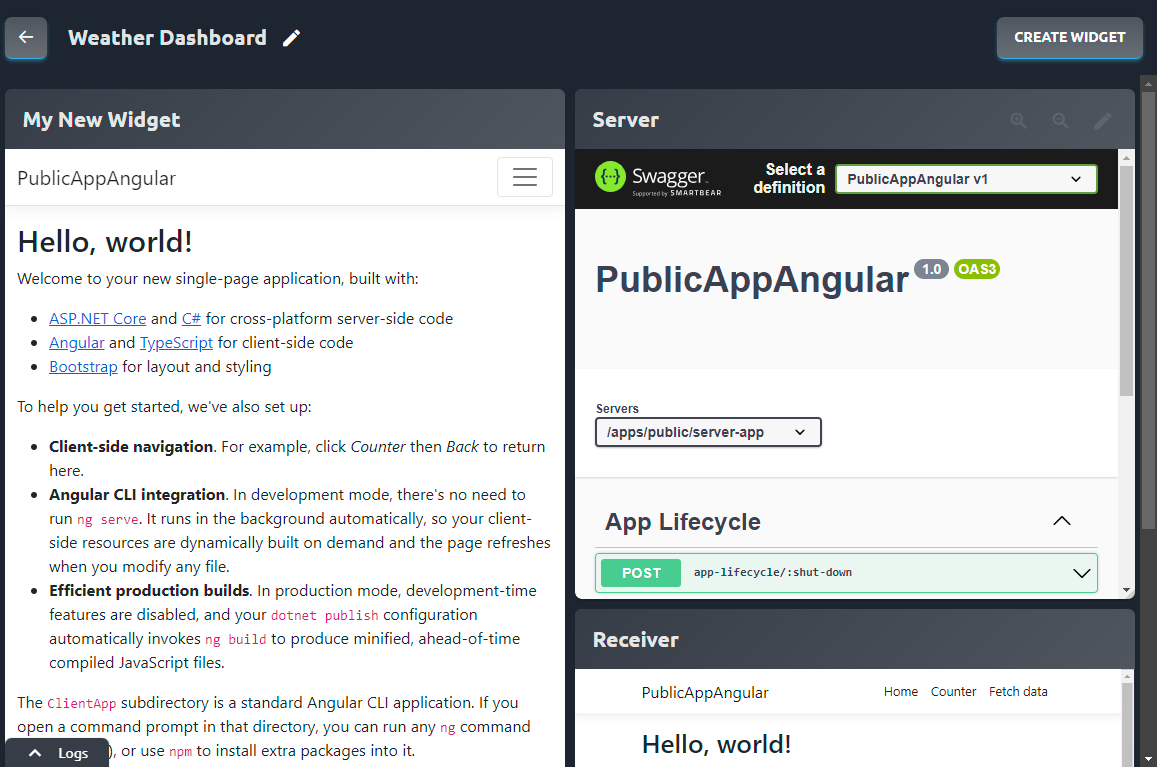
The Dashboards view enables you to manage your custom Dashboards, which are filled with useful Widgets that provide an at-a-glance overview of various parts of your Solution. From this view, you can open, create, edit, and delete Dashboards. For more information on the topic, please refer to the Dashboard Widgets article.
App Templates
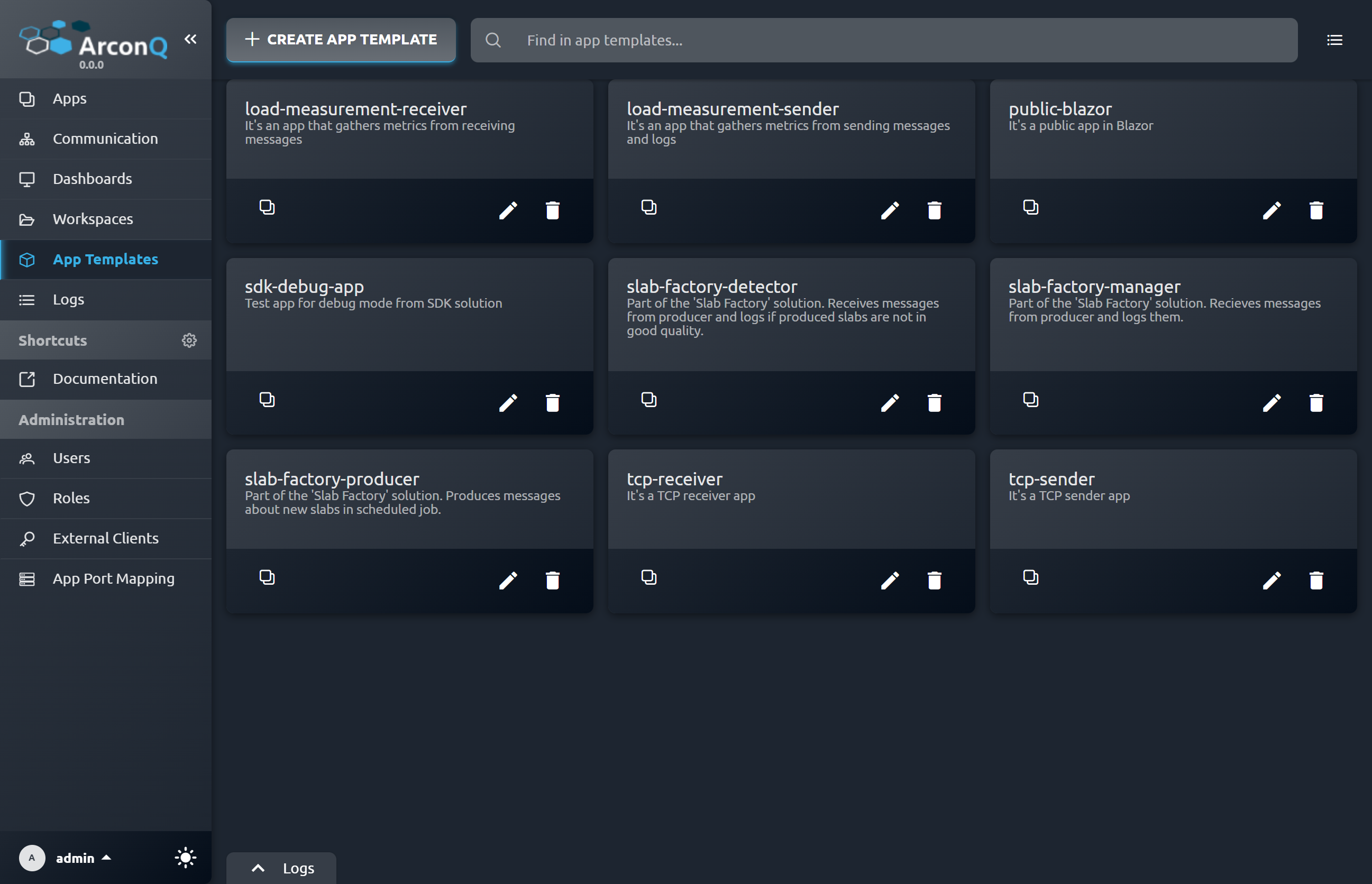
App Templates are the blueprints for creating Apps within ArconQ. They define the configuration and logic that can be reused to create multiple instances of an App. On the App Templates view you can see all templates available on the platform at the moment and managed them easily.
Logs
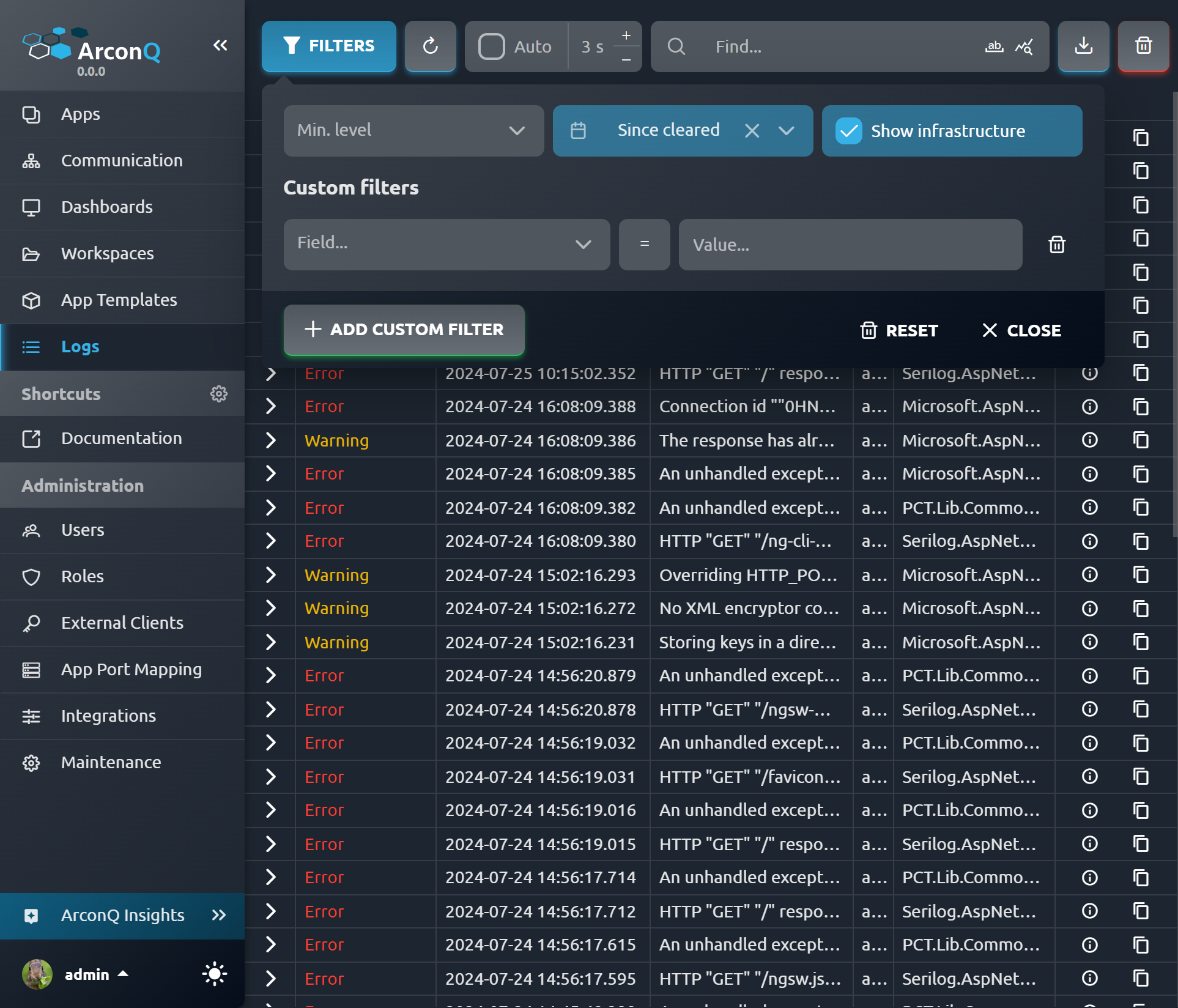
Here you can check the real-time logs of all of your Apps. Logs can be searched and filtered by date, severity, keywords and more.
You can also view your real-time logs as a slide-out panel across all of ArconQ's UI by clicking on the "Logs" button on the bottom-left of your screen.