Log Level mechanism overview
Configuring logging levels appropriately is crucial for effective monitoring and debugging of applications. This document explains how to configure logging levels in different parts of the ArconQ ecosystem to ensure expected results.
ArconQ App Configuration
The Log level setting for an App is available on its configuration screen.
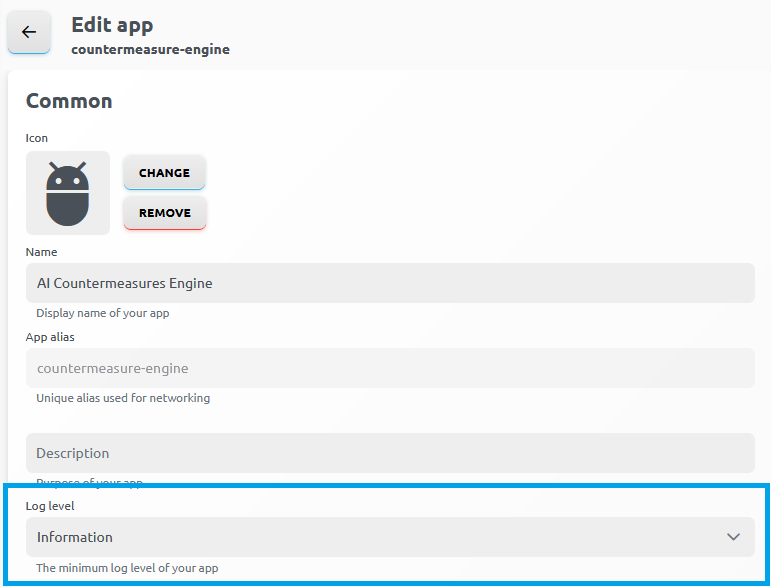
The Log level dropdown allows selecting the minimum log level for the App. For example, setting it to Warning means that only warnings and above are logged to log engine.
The settings configured here can be overwritten by the appsettings.json or appsettings.{Environment}.json files in .NET applications. Please refer to the important considerations below for further explanations.
.NET Apps: appsettings.json
It is possible to upload the appsettings.json file as a part of an AppTemplate in a .NET application. By including the appsettings.json file in your project, you enable the .NET framework to automatically read and apply the settings defined within it. This file typically includes various configuration settings, such as logging. When the application starts, .NET reads the appsettings.json file and applies the configurations to the specified logging providers.
Important considerations
- If the logs are disabled or set to a higher level in
appsettings.jsonthan the level configured in the ArconQ app log level settings, the logs will not be visible in ArconQ. This is because the .NET logging mechanism will prevent logs below the specified level from being generated. - It is crucial to ensure that the logging levels in
appsettings.jsonare not overly restrictive to capture sufficient log details for effective troubleshooting. - When running App in Debug mode, please remember that values from
appsettings.Development.jsonoverwrite settings fromappsettings.json
Helm configuration
Helm configuration is used to set up the logging levels for internal services within ArconQ. This configuration is critical for internal logging and helps direct logs to logging engine.
advanced:
  elasticsearchSinkLogLevel: Warning
In the configuration above:
elasticsearchSinkLogLevel: This setting controls the minimum logging level for logs sent to the logging engine. For example, setting it toWarningensures that only warnings, errors, and fatal messages are sent to the logging engine. This setting specifically affects the internal ArconQ services' logging levels and does not influence the Apps' log level.
These settings help manage log verbosity and ensure that important logs are captured while reducing noise from less critical messages.