Installation
To install ArconQ CLI as a global NuGet package extension, follow these steps:
Install ArconQ CLI as a global NuGet package extension:
Open a terminal or command prompt and type:
dotnet tool install --global ArconQ.CLI --add-source https://nexus.macrix.eu/repository/arq-nugettipIf you would like to use some Release Candidate (-rc) version of the tool, add
--prereleaseflag to thedotnet toolcommand, for example:dotnet tool install --global ArconQ.CLI --prerelease --add-source https://nexus.macrix.eu/repository/arq-nugetThis command will download the latest version of ArconQ CLI from the official NuGet repository and install it as a global extension.
Verify installation
To verify that ArconQ CLI has been successfully installed, type in the command line:
arq --versionIf everything is set up correctly, you should see the version number of ArconQ CLI displayed, confirming a successful installation.
Create external client
- Go to the External Clients page and create a new External Client:
- provide the ClientID (the recommended is
arq-cli) - in the roles tab select the
developerrole
- provide the ClientID (the recommended is
- Once the External Client is created copy its
Client Secretvalue - it will be needed later
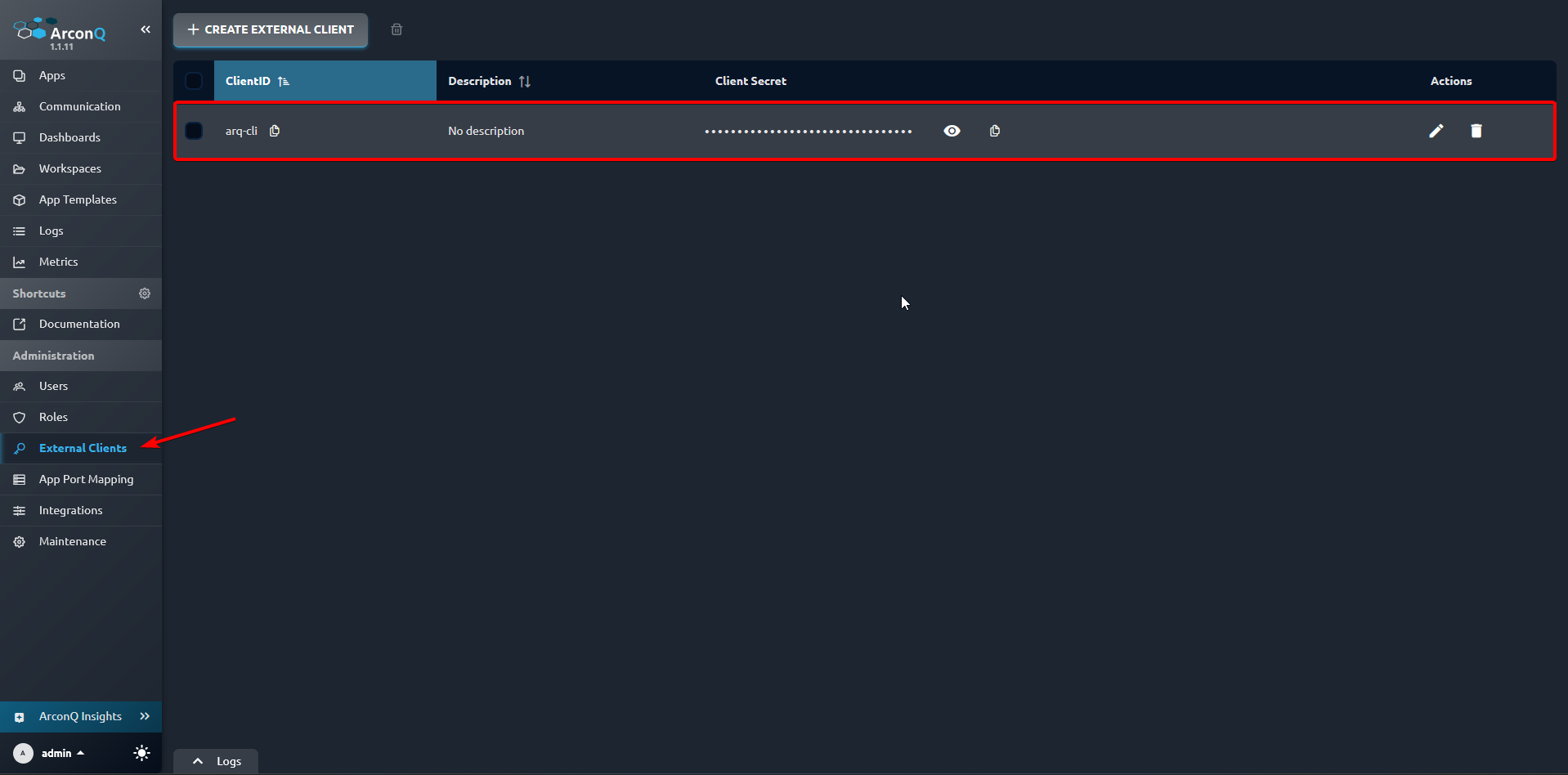
- Go to the External Clients page and create a new External Client:
Configure connection
For proper use of the CLI, a configuration of the ArconQ instance must be added. There are two ways to achieve this. Choose whichever you prefer:
- Use the profile command to create a new configuration profile using the External Client's
ClientIDandClient Secretfrom the point above - Add environment variables (explained below)
Follow these instructions to create environment variables for ArconQ CLI on the Windows system:
Open the Start menu and search for "Environment Variables."
Click on "Edit the system environment variables."
In the System Properties window, click the "Environment Variables..." button.
Add following System variables:
Name:
ARQ_CLI_CLIENT_ID, Value: theClientIDyou used to create an External Client in the point above (the recommended isarq-cli)Name:
ARQ_CLI_SERVER_URL, Value: your ArconQ instance URL (in this manualhttps://arconq.prodis used)Name:
ARQ_CLI_CLIENT_SECRET, Value: theClient Secretcopied from the External Client created aboveClick "OK" to save the environment variable.
- Use the profile command to create a new configuration profile using the External Client's
Uninstallation
Open a terminal or command prompt and use the following command to uninstall ArconQ CLI as a global NuGet package extension:

```shell
dotnet tool uninstall --global ArconQ.CLI
```
Update
Open a terminal or command prompt and use the following command to update ArconQ CLI:

```shell
dotnet tool update --global ArconQ.CLI
```